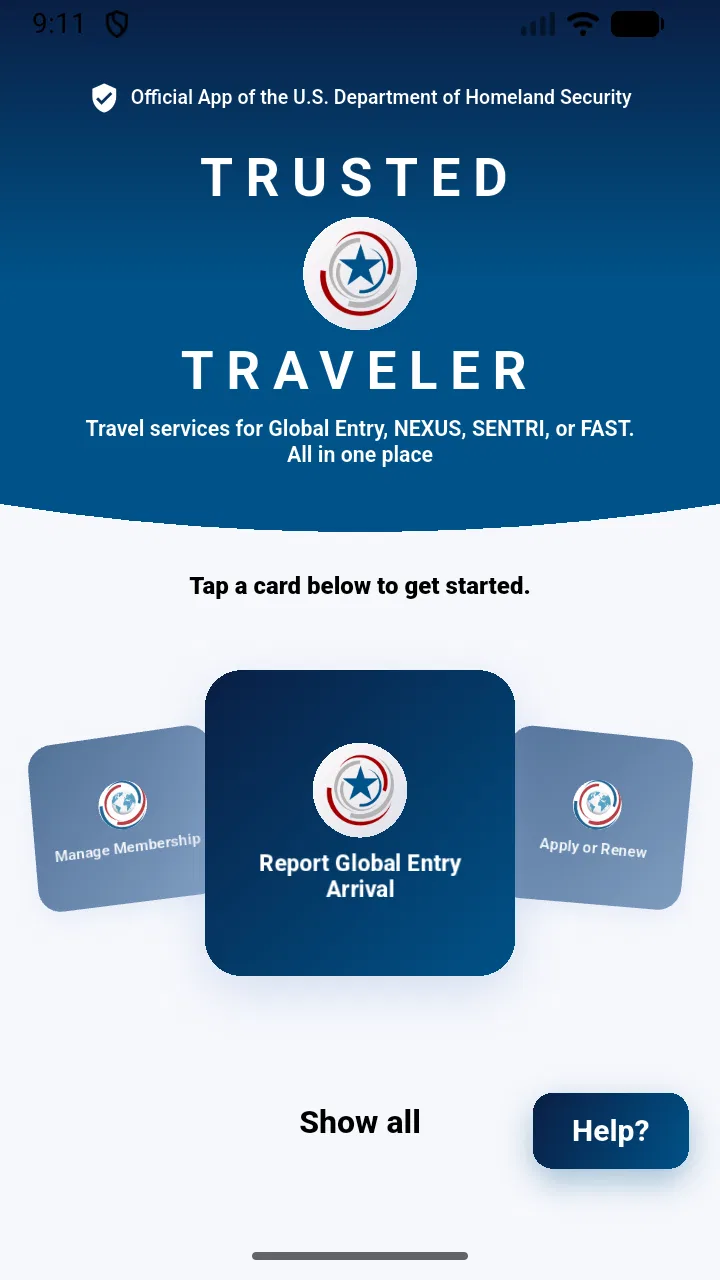
Trusted Traveler
- 4.9
- Rating
- 50.00K
- Installs
- Free
- Price

 Analysis by App-foxy
Travel apps often promise to make airport routines simpler, but the real test is whether they remain understandable when you are tired, rushed, carrying bags, or trying to manage several travel details at once. Trusted Traveler is a free Travel & Local app from U.S. Customs and Border Protection that focuses on Trusted Traveler Programs and entry processing at airports. I approached it as a practical tool rather than a general trip planner, and that distinction matters: it is aimed at official traveler-program tasks, not at replacing your airline app, boarding pass wallet, map, or itinerary manager.
My overall impression is that Trusted Traveler is most useful when you want one official place for program-related information and airport entry steps. Its audience includes frequent international travelers, people preparing for enrollment or renewal, and anyone who prefers dealing directly with the responsible government agency instead of relying on third-party explanations. It is available at no cost and is rated for Everyone, which makes it approachable for a broad audience. The developer shown for the app is U.S. Customs and Border Protection, an important point for anyone who wants to distinguish it from unofficial travel tools.
How Trusted Traveler feels to use in real travel situations
I find this app most valuable when I treat it as a calm, pre-trip place to sort out Trusted Traveler Program tasks—not something I need to figure out in a crowded airport. In the next section, I’ll look at how that focused role can shape a practical routine, including what I would prepare before departure and what I would keep handy as a backup.
You May Also Like

 AccuWeather: Weather Radar
AccuWeather Review: A Quick, Clear Forecast for Everyday Decisions
For everyday plans, the best forecast is the one you can understand quickly. AccuWeather makes rain timing, radar, and local conditions easy to act on, with a few trade-offs.

 Hill Climb Racing
Why Hill Climb Racing Still Turns Crashes Into One More Run
A tiny car, a bumpy hill and one more upgrade: Hill Climb Racing keeps resurfacing because its simple chaos makes every near-miss feel personal.

 AliExpress - Shopping App
AliExpress Makes Global Shopping Feel Personal, but Shoppers Bear the Risk
AliExpress turns a global marketplace into a pocket-sized discovery engine. Its reach is useful, its shopping loop compelling, and its trade-offs easy to miss.

 Lords Mobile: Kingdom Wars
Lords Mobile Is a Kingdom-Building Routine, Not a Quick Match
A case-by-case verdict on the building, battles, device demands, and social commitments that make Lords Mobile rewarding for some players and exhausting for others.

 PDF Scanner app - TapScanner
TapScanner Makes Paperwork Easier to Capture, Check, and Share
TapScanner makes scanning with a phone feel less like a rescue operation and more like a dependable step in getting work done. Its capture tools are useful, though not flawless.

 Block Blast!
 Shows How Much a Puzzle Game Can Leave Out
A quiet grid game shows why puzzle players increasingly value instant clarity, repeatable skill and low-pressure play—and where the genre still needs to catch up.
More From Our News Desk
View All News


Clearer reading and navigation for official tasks
The app’s strongest conceptual advantage is focus. Rather than mixing hotel searches, flight deals, destination guides, and airport maps into the same interface, it concentrates on Trusted Traveler Programs and airport entry processing. When I am trying to check an official requirement or prepare for a border-related step, that narrower purpose is easier to understand than searching through a broad travel app.
That focus also helps reduce the mental load that comes with travel administration. A general search engine may return old blog posts, forum answers, sponsored services, and pages written for a different program. An official app gives the task a clearer starting point. I would still read every instruction carefully, but I would rather begin with the agency responsible for the process than with a summary written by someone else.
For readability, the most important question is not whether the interface looks attractive; it is whether a traveler can identify the next action without guessing. This matters especially when the user is handling a passport, checking a deadline, or moving through an airport. The app’s purpose makes it easier to build a simple routine: open it before the trip, review the relevant program information, and use it as a reference when entry processing becomes part of the journey.
One useful habit is to explore the app at home instead of waiting until the airport. I would open the relevant sections while connected to a stable network, note what information is needed, and make sure I understand the terminology before leaving. This is a small step, but it prevents a common accessibility problem: trying to interpret official language for the first time while standing in a crowded terminal.
The current version is 1.30.0, and the listed minimum operating-system requirement is version 9. That makes the app potentially suitable for people using older supported devices, although practical comfort will still depend on the phone’s screen, display settings, performance, and the user’s familiarity with the operating system. I would not judge accessibility from the version number alone. Instead, I would test the exact screens I need before relying on the app during a trip.
Motor and sensory considerations during preparation
Travel apps are often used in awkward physical conditions. You may be holding a suitcase with one hand, wearing gloves, standing in bright sunlight, or trying to operate the phone while walking slowly through a terminal. An app that is manageable at a desk can feel much less comfortable in those circumstances. For that reason, I see Trusted Traveler as a preparation tool first and an airport companion second.
People with limited dexterity may benefit from completing longer reading or account-related tasks before departure, when the phone can be placed on a stable surface and used with both hands. I would avoid leaving important steps until the security line or border-control area. That is not a criticism unique to this app; it is a realistic trade-off for any official travel tool used under time pressure.
Users with visual sensitivities should also choose a calm moment to review the app. Airport lighting changes quickly, reflections can make a screen difficult to read, and a phone set to a very low brightness may be hard to use outdoors. Adjusting the device’s text size, contrast, or display settings may help where the operating system and app layout allow it. I would check whether enlarged text causes labels to wrap or controls to become harder to locate before traveling.
For users with hearing-related access needs, an app can be helpful because written instructions do not depend on hearing an announcement. However, it should not be treated as a replacement for all airport communication. Boarding changes, gate instructions, security directions, and staff requests may still happen in person or through terminal announcements. The best approach is to use Trusted Traveler for the official program side of the journey while keeping other ways to receive travel information available.
People who experience cognitive overload may appreciate the app’s limited scope, but official terminology can still be demanding. I recommend breaking the process into small sessions: first identify the correct program, then review the required action, then prepare the documents or information connected with that action. Taking screenshots for personal reference may be useful when permitted and appropriate, although I would avoid storing sensitive information in unsecured places.
Using it in different travel contexts
A realistic example is a traveler preparing for an international flight after a long period without flying. Instead of waiting until the travel day, I would use the app several days beforehand to revisit the Trusted Traveler Program process, check which step applies to me, and make a short checklist of anything I need to handle. At the airport, I would use the app only as a reference, not as my sole source of timing or navigation information.
That workflow is particularly useful for people who travel frequently but have inconsistent routines. A business traveler may know the airport well but still need a reliable place for program-related tasks. A family traveler may understand the process personally but need to explain it to another adult or older child. Someone traveling with a disability may want extra time to plan how official entry processing fits alongside assistance requests, medication routines, mobility equipment, or sensory needs. The app does not replace those arrangements, but it can help keep the government-program portion separate and easier to review.
It may also help travelers who are uncomfortable with unofficial services. There are many websites and apps that discuss expedited entry, but a government-developed tool has a different role. I would choose it when the priority is official program management and direct information. I would choose a broader travel app when I need flight alerts, terminal directions, baggage details, translation, or a complete itinerary. These tools can complement each other; they are not interchangeable.
Another practical use is preparing with a companion. If a family member, support person, or travel assistant helps manage documents and schedules, reviewing the app together can make responsibilities clearer. One person can read the instructions while the other checks the relevant details. This is often easier than trying to explain an official process from memory, particularly when the traveler has limited vision, dyslexia, anxiety around formal procedures, or difficulty switching between several apps.
People traveling internationally should remember that airport entry processing is only one part of the journey. The app may be relevant to the U.S. government program side of travel, but it is not a universal accessibility guide for every airport, airline, or destination. If you need wheelchair assistance, sign-language support, quiet spaces, medical accommodations, or help with a service animal, I would contact the appropriate airline and airport channels separately and plan those needs in advance.
Where the experience still has barriers
The first limitation is scope. Trusted Traveler is not a complete travel companion. It will not take the place of an airline application for boarding information, a map for terminal routes, or a personal checklist for medication and equipment. Someone looking for one app to organize an entire trip may find it too narrow, even though that same narrowness is its main strength for program-specific tasks.
The second barrier is the pressure of official processes. Even a well-organized app cannot make every requirement feel simple, especially for a first-time applicant or a traveler dealing with a change in personal circumstances. I would not rush through forms or assume that a familiar-looking screen means a step is complete. The safest workflow is to read carefully, keep personal records organized, and allow extra time for anything involving identity or entry eligibility.
There is also a situational barrier for people who have limited connectivity, low battery, or an older device. I would prepare before reaching the airport and keep essential travel documents available through other appropriate means. Relying on a phone for every critical detail creates a single point of failure, regardless of how useful the app itself is.
Another consideration is shared-device use. If a family shares a phone or a support worker helps with travel administration, privacy and account separation become important. I would be careful about leaving personal details visible and would use the device’s normal security controls. This is especially relevant when a traveler needs assistance with navigation or reading but still wants control over sensitive information.
The app’s high average rating of 4.9, based on 419 ratings, suggests that the people who have rated it are generally very positive about their experience. I treat that as encouraging rather than conclusive. A rating cannot tell me whether the interface works equally well with every display setting, assistive technology, travel routine, or level of digital confidence. The more useful question is whether its focused purpose matches my needs.
Who should use it, and who should look elsewhere
I would recommend Trusted Traveler to travelers who already participate in, or are considering, a U.S. Trusted Traveler Program and want an official mobile reference. It is also a sensible choice for people who dislike depending on search results or third-party travel blogs for government-process information. Frequent flyers may appreciate having program-related tasks separated from the noise of ordinary trip planning.
I would be more cautious about recommending it as the only travel app for someone who needs extensive airport accessibility information. A traveler who depends on live gate changes, detailed indoor directions, airline messaging, or destination-specific assistance will need additional tools and direct contact with providers. The app can support the entry-processing part of the journey without covering every other access need.
It may not be the best fit for someone who rarely travels internationally and has no reason to manage a Trusted Traveler Program. In that case, installing a specialized app may add another account or information source without offering much day-to-day value. A general airline app and the official airport or government pages relevant to the specific trip may be enough.
For older adults or users who are not comfortable with smartphones, I would introduce the app slowly and use it alongside a written plan. The free price removes one barrier, and the Everyone age rating makes it broadly approachable, but affordability and age suitability do not automatically mean that every interaction will be easy. A trusted companion can help with setup while allowing the traveler to remain involved in each decision.
My inclusive verdict after using it
Trusted Traveler succeeds because it has a clear job. As a Travel & Local app developed by U.S. Customs and Border Protection, it gives program-related travel tasks a more direct home than a collection of unofficial articles and general travel tools. I find that especially valuable for preparation, when I have time to read carefully and organize my next steps.
Its inclusive value comes less from trying to serve every possible need and more from reducing one source of confusion. Travelers with different abilities and routines can use it as part of a larger plan: review official information early, prepare documents and questions in a calm setting, and keep airline, airport, and personal accessibility arrangements in their proper places. That separation makes the overall journey easier to manage.
My advice is to install it if Trusted Traveler Program management is relevant to your trip, then test the exact tasks you expect to perform before leaving home. Adjust your phone for comfortable reading, involve a support person if useful, and do not wait until a crowded checkpoint to learn the interface. Keep another way to access essential travel details, because no single app should carry the entire journey.
With a current version of 1.30.0, a free price, and a broad Everyone content rating, Trusted Traveler is a focused official companion rather than an all-purpose airport app. I would choose it for clarity around government travel-program tasks, while pairing it with airline and airport resources for the rest of the trip. That honest division of responsibilities is what makes it most practical, especially for travelers who need predictable preparation and fewer surprises in demanding travel environments.
FAQs for Trusted Traveler
01What is Trusted Traveler and what can I use it for?
Trusted Traveler is designed to help eligible travelers manage participation in trusted traveler programs and access related enrollment or account information. Depending on the version and supported program, it may provide guidance, application details, status information, or tools connected with expedited travel screening. Before downloading, check the official description to confirm that it supports your country, program, and travel documents.
02Is Trusted Traveler an official government application?
Users should verify the publisher carefully before entering personal, passport, or payment information. Apps with similar names may be independently developed and are not necessarily operated by a government agency. Look for the official developer name, privacy policy, website links, and references from the relevant government or trusted traveler program. Downloading from the official Google Play Store or Apple App Store also helps reduce the risk of installing an imitation.
03What information does Trusted Traveler require?
A trusted traveler service may request sensitive details such as your full name, date of birth, nationality, passport or identification information, contact details, and application-related data. Some features may also require account credentials, photographs, or payment information. Review the app’s permissions and privacy policy before registering, and avoid providing information unless you have confirmed the application’s authenticity and understand how your data will be used.
04Can I complete a trusted traveler application entirely through the app?
That depends on the specific application, supported program, and your location. Some apps only provide information, reminders, or links to an official enrollment website, while others may support parts of the application process. You may still need to attend an in-person interview, submit documents through an official portal, or complete identity verification separately. Check current program requirements before relying on the app.
05Is Trusted Traveler free to download and use?
The app may be free to install, but that does not necessarily mean the associated trusted traveler program is free. Government enrollment programs can charge application, renewal, or background-check fees, and those costs are separate from any app download. Review the developer’s pricing information and the official program website before paying. Be especially cautious of unofficial services that add unnecessary processing or subscription charges.
Pros
- Saves frequent travelers time at airport security checkpoints.
- Provides convenient access to trusted traveler program information.
- Helps users review application or enrollment-related details on the go.
- Useful for checking travel eligibility and program requirements.
- Can make trip preparation more organized and less stressful.
Cons
- Eligibility is limited to travelers meeting specific program requirements.
- Approval may require an interview and additional background screening.
- Some features may depend on current government data or service availability.
- The app cannot guarantee faster processing at every airport or border.
- Users may still need separate travel documents and official identification.

Trusted Traveler
Gallery